API Token
Get and use your API Token
General
To interact with our API you always need an API token. Every time you send a HTTP REST request to our API, you need to add a Authorization header to your request. The value of the header is your API token as a x-api-key token.
You should also always add a Accept and Content-Type header to ensure to send and receive JSON!
| Header Name | Header Value |
|---|---|
| x-api-key | your-api-token |
| Accept | application/json |
| Content-Type | application/json |
Example
Create an API token
Login to your account. If you do not have an account yet, create a new account and verify your email address.
Please ensure that you have subscribed to one of our billing plans. You can also use our trial version to get familiar with our API.
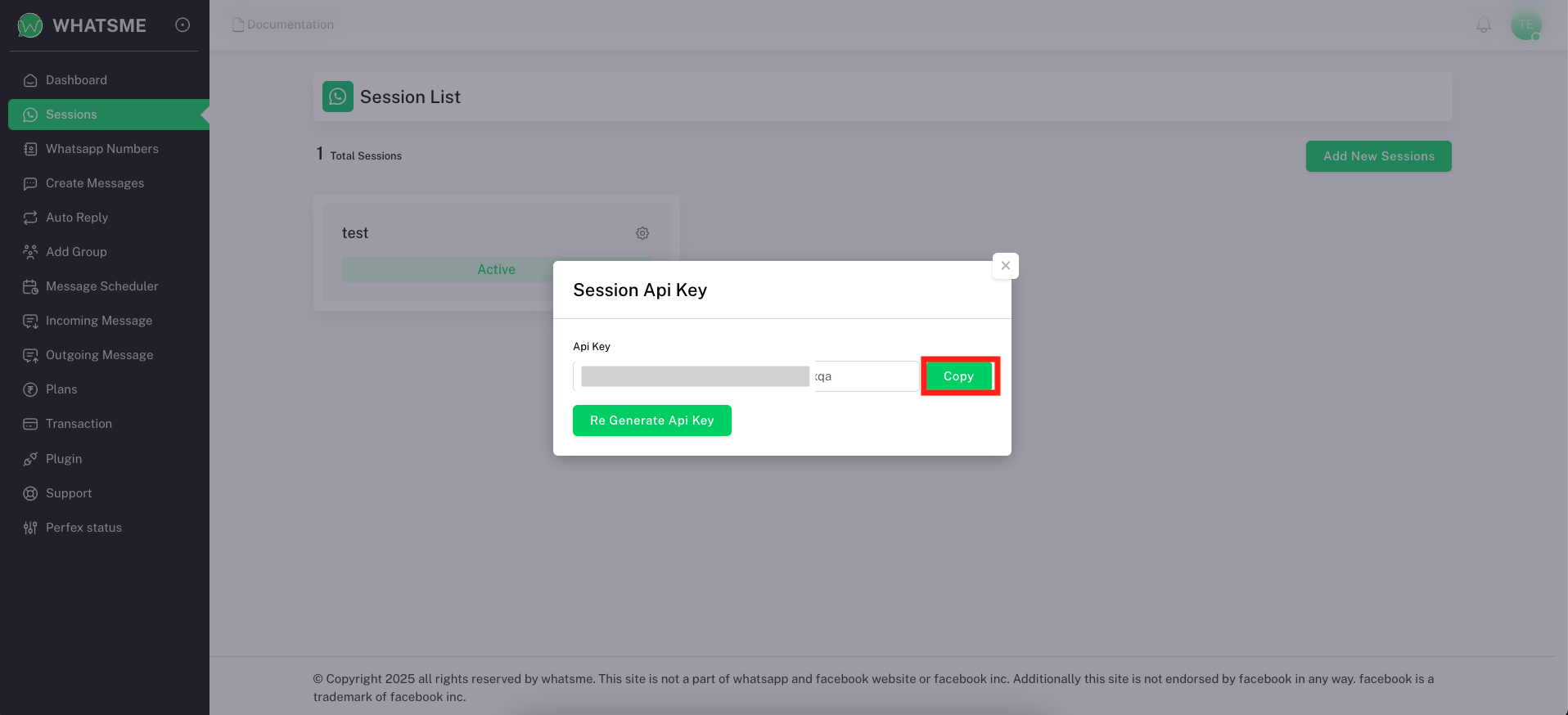
Go to the “Session” section and create a new session if you haven’t already. Once your session is created, find the session you just crate and click its setting icon. You’ll then see a “Get API Key” button. Click this button to generate and view your new API token.
How to create an API token
Step 1:
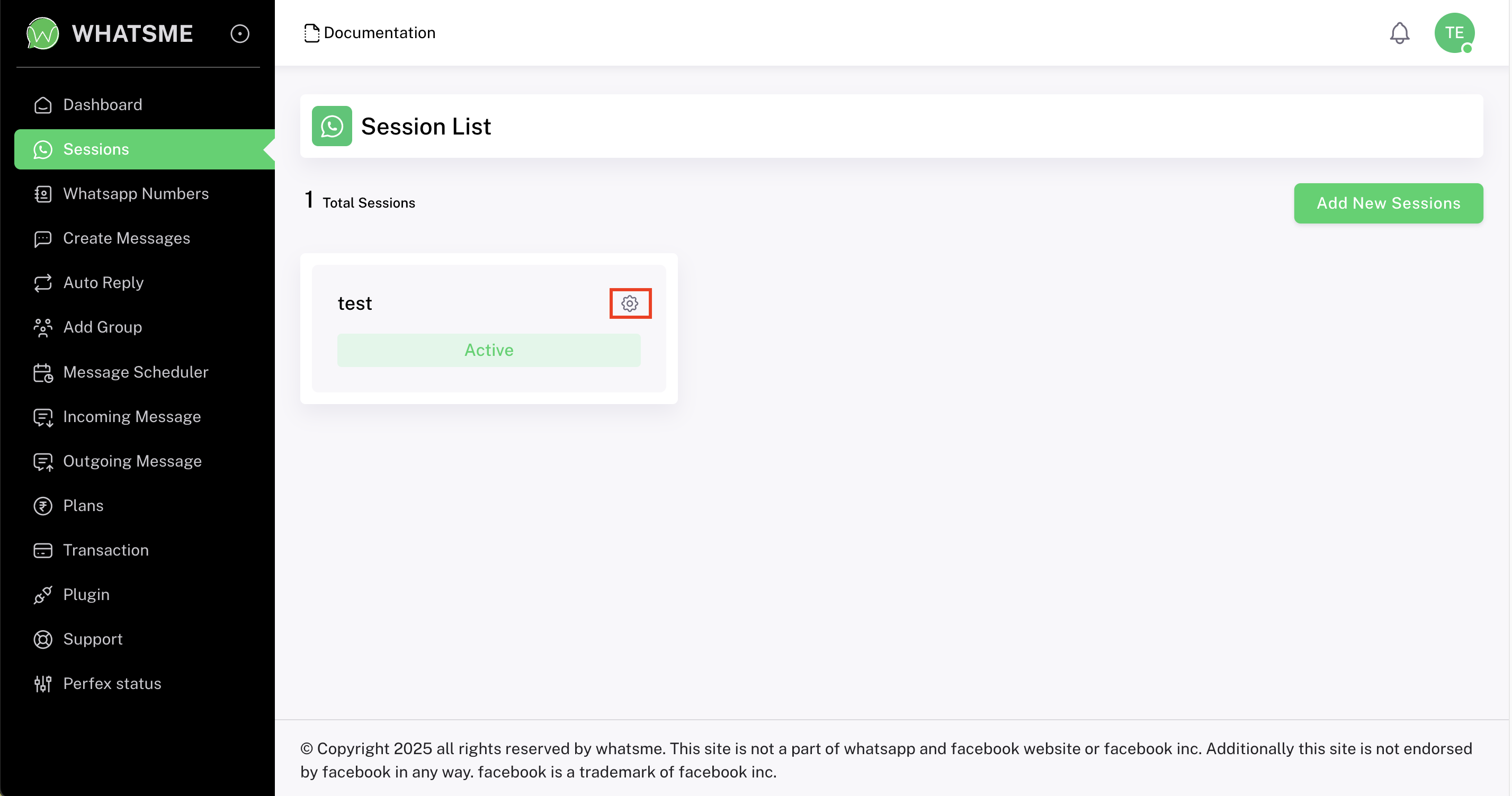
Step 2:
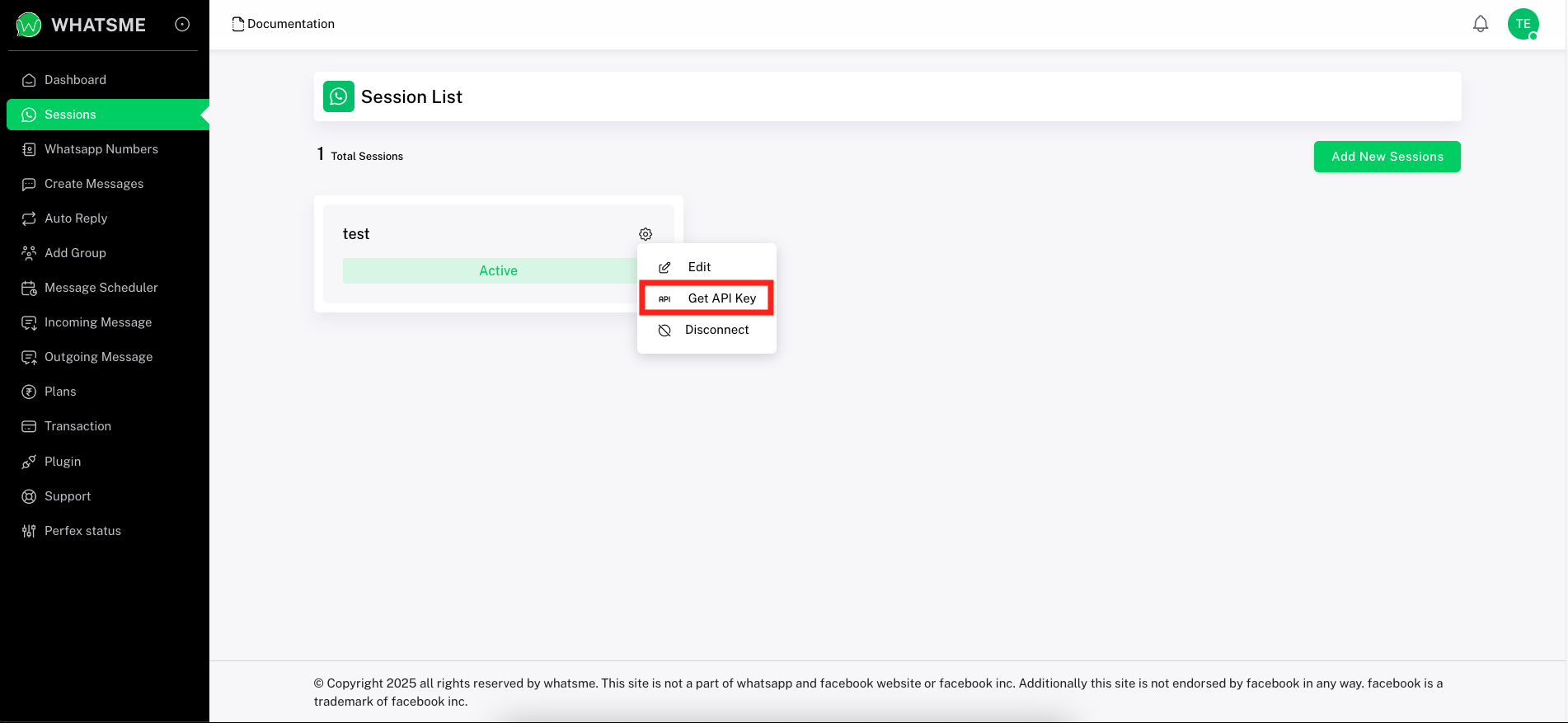
Step 3: